How to make a map animation in four steps
- Choose what the shot shows. A country and its neighbours, a route from city to city, or an army's advance. Each starts from a finished example, so you edit instead of starting from a blank map.
- Fill in the form. Type a country or search a city; the map animation maker places it, frames it and labels it. Change colours, map style and place-name language in the Style tab.
- Time it. Drag the cuts in the segment bar under the preview, or load your voice-over and press Space each time the next part should appear.
- Export an MP4. Pick 16:9, 9:16 or 1:1 and download the video. It is rendered on your computer in seconds, then it goes straight into Premiere Pro, DaVinci Resolve, Final Cut or CapCut.
Three map animation generators, one timeline
Each generator answers one question an explainer video keeps asking: where is it, how did they get there, and who moved where. They share the same timeline, styles and export, so a series can mix all three and still look like one channel.
Country spotlight
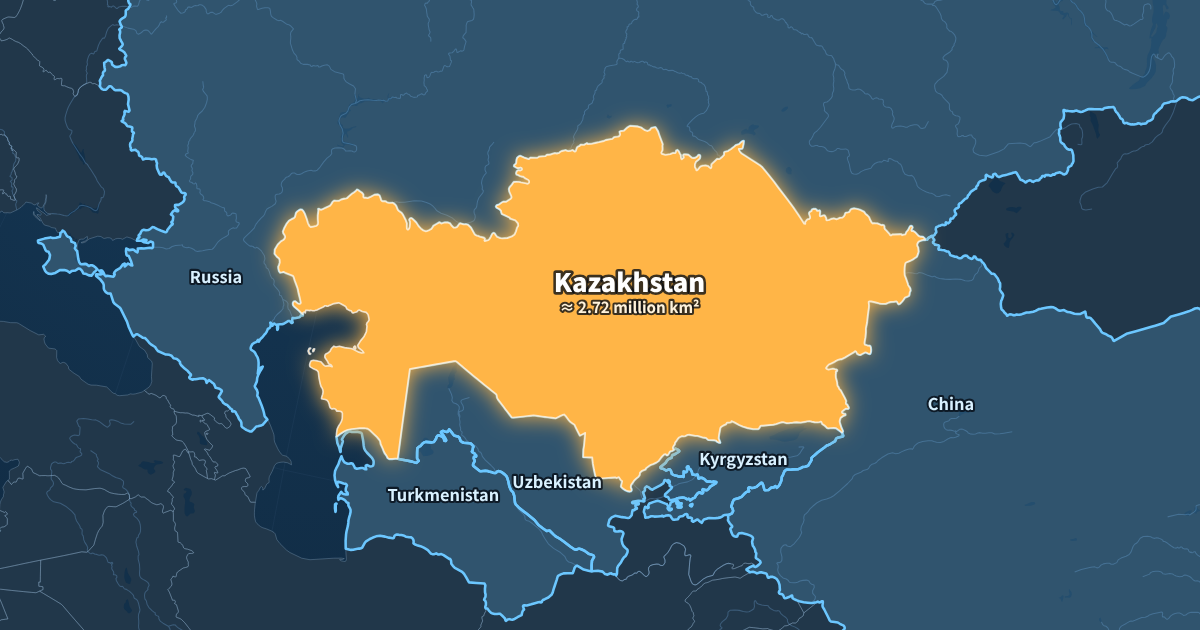
Spin the globe, fly in, light up the country, then its neighbours one by one. The camera stays locked on your country, so big neighbours never push it out of frame.
Route
City to city by plane, train, car, boat or on foot, with day labels and the total distance at the end.
Campaign arrows
Arrows that get thinner as an army shrinks, battle markers and date captions, on a vintage map.
Timed to your voice-over, to the frame
Load your narration and press Space each time the next country or arrow should appear. The cuts land where you pressed. Want one line to start a second later? Drag that one cut: every other cut stays where it was.
Lengths are exact. A 15-second animation exports as exactly 450 frames at 30 fps, so it lines up with your audio track without trimming.
What people make with this map animation maker
- History channels show where an empire grew, where a battle took place and how an army advanced and retreated, with dates on screen as the narration reaches them.
- Geography and news explainers open with “where is this country?”, then light up the neighbours one by one while the voice-over names them.
- Travel creators put the whole trip on a map in the first five seconds of a vlog, or make one short clip per leg as chapter breaks.
- Teachers and students add a clear map to a presentation or a school project without learning motion-design software.
- Companies show where they operate, a delivery route or a planned expansion in a pitch or an internal video.
In all of these the map is a short shot inside a longer video. That is what this map animation maker is built for: a clean, correctly timed clip you can drop into your edit, rather than a full video made for you.
Built for channels that post every week
- Channel styles. Save your colours, font and map style once and apply them to every new video.
- Place names in 15 languages for dubbed or multi-language channels.
- 16:9, 9:16 and 1:1 from the same project, for YouTube, Shorts, Reels and TikTok.
- No upload, no queue. The video is rendered on your own computer.
Map data you can check
Countries, coastlines, rivers, lakes and cities come from Natural Earth, a public-domain dataset used by newsrooms and atlases. Country outlines are drawn at 1:50 million scale, which is detailed enough for country and regional shots. Each country's neighbours are worked out from the shared borders in the more detailed 1:10 million data, so the list you get is complete.
Borders follow Natural Earth's default point of view. Where territory is disputed, check the border your story depends on against an authoritative source. The historical examples hide today's borders on purpose, because they would be wrong for 1812 or 330 BC; the About page explains more.
Free now, Creator later
Everything on this page is free: all three generators, voice-over timing, channel styles and 720p or 1080p MP4 export at 30 fps. Free videos carry a small watermark with the site's address in the corner.
A paid Creator plan is planned for people who publish often. It will remove the watermark and add 60 fps, 4K and a transparent background for layering the map over your own footage. You can leave your email in the export dialog to hear when it opens.
Compared with After Effects plugins
Motion designers often build map shots in After Effects with a plugin such as GeoLayers. That route gives full creative control, but it needs After Effects, a plugin licence and time to set up keyframes. This map animation maker covers the shots explainer videos use most, in a form you can fill in within a few minutes. See the GeoLayers comparison for when each one fits.
Map animation maker FAQ
Is it free?
Yes. Every generator and 1080p MP4 export are free, with a small watermark in the corner. A paid plan for no watermark, 60 fps, 4K and transparent backgrounds is coming.
Do I need an account?
No. Open the page and start editing. Your projects and channel styles are saved in your browser on this computer.
How long can an animation be?
As long as you need. Each part has its own length, and you can type a total length to stretch or shorten the whole animation. Most map shots in explainer videos are 5 to 20 seconds.
Can I make vertical videos for Shorts, Reels and TikTok?
Yes. Switch to 9:16 at the top of the editor. The camera re-frames the same project for the tall format, so the country stays whole.
Can I add my own titles and captions?
Yes. Every animation has a title card, and each part of the timeline can carry its own caption. Campaign arrows also show a date caption as the arrow reaches each place.
Does it work on a phone?
You can open the editor and preview on a phone, but making and exporting videos works best on a desktop or laptop with a recent Chrome or Edge.
Can I change the map style and colours?
Yes. The Style tab has a light, a dark news-style and a vintage paper map, your own highlight colours, a sans or serif font, place names in 15 languages, and options to hide borders or rivers.
Do I need to install anything?
No. It runs in a recent Chrome or Edge on your computer. Nothing is uploaded: the map data and the video encoder run in the browser.
Can I use the videos on YouTube and in client work?
Yes. You own the videos you make. The map data comes from Natural Earth, which is in the public domain.
Does the video have sound?
No. Put it on the timeline above your voice-over in your editor. If you timed it with the Space key, the cuts already match.
Which browsers work?
Recent Chrome and Edge on desktop export MP4. Other browsers can preview; if a browser cannot encode video, the export dialog says so.